Genders provide the merchandise gender classification used by the Item master and reporting. The list is centrally maintained so the same definitions are used consistently throughout IMS.
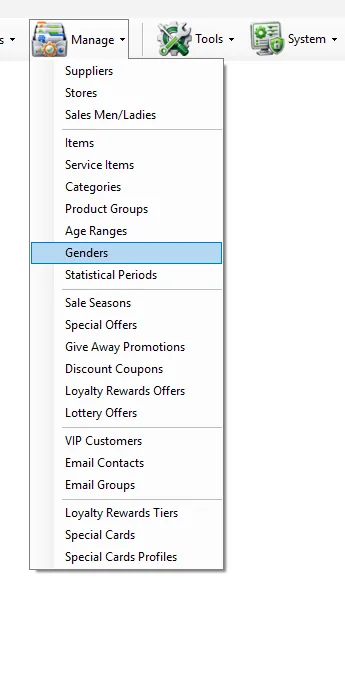
Open the screenManage → Genders
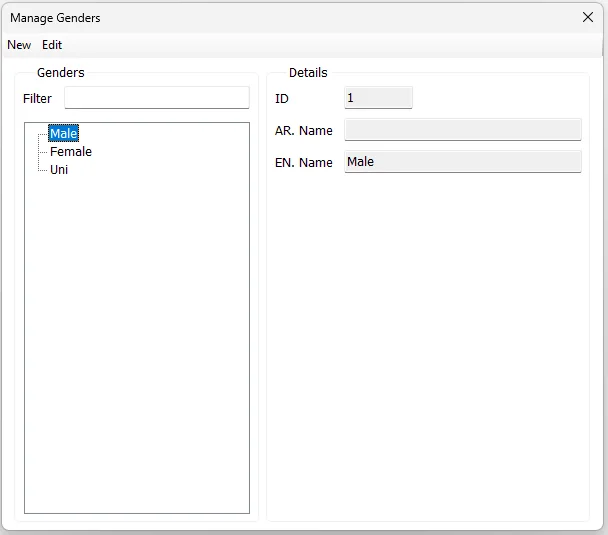
Path: Manage → Genders.Genders are maintained as a flat master list.
Shared master-data behavior
Categories, Product Groups, Age Ranges, Genders and Statistical Periods use the same IMS master-data screen pattern. The title, labels and underlying master change according to the selected Manage menu item, while the New/Edit/Save/Cancel workflow remains consistent.
Control
Behavior
Filter
Narrows the tree/list using the displayed master name. Hierarchical masters keep the matching parent visible when a matching child is found.
New
Starts a new master record. During entry the button changes to Save.
Edit
Edits the selected record. During editing the button changes to Cancel.
ID
Required unique numeric identifier. It is entered for a new record and remains fixed while editing.
Fields
Field
Meaning
ID
Unique Gender identifier.
AR. Name
Arabic Gender name.
EN. Name
Required English Gender name used by the Item master and reports.
Add or edit a Gender
Click New, or select an existing Gender and click Edit.
For a new record, enter a unique ID.
Enter the required English Name and Arabic Name as applicable.
Click Save.
Relationship with Items
The Gender selected in Manage → Items comes directly from this master.