
Issued
How much voucher value did we issue?
Select the issue period and review Total Issued.
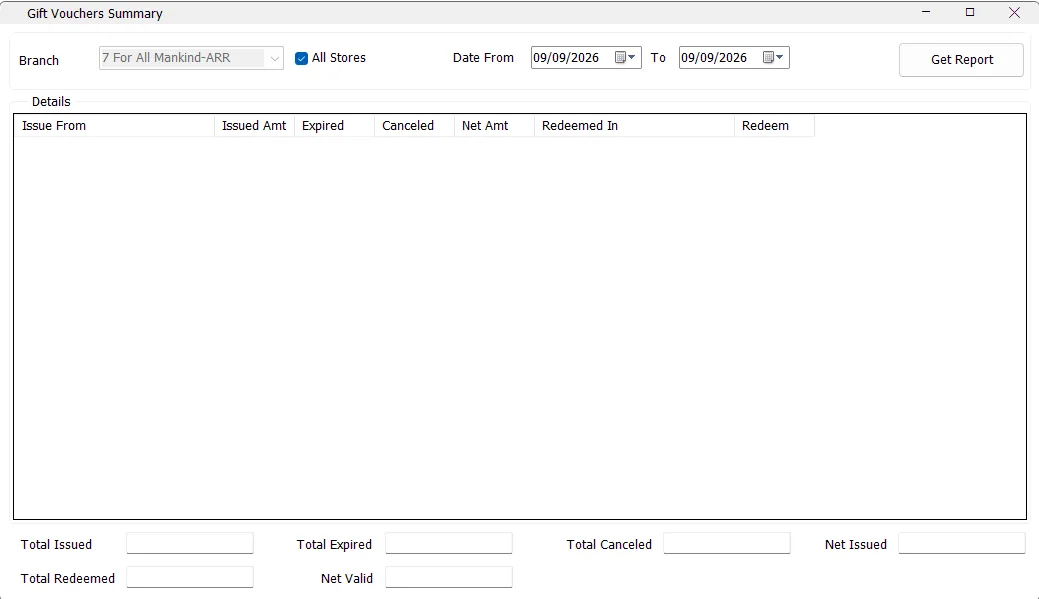
Gift Vouchers Summary tracks voucher value from issue through expiry, cancellation and redemption. It can report one issuing branch or all available stores and shows where vouchers were redeemed, including redemption at a different store from the issuing location.
| Criteria | What it does |
|---|---|
| Branch | Selects the store from which the vouchers were issued. |
| All Stores | Includes every store available to the logged-in user. IMS disables the individual Branch selector and displays the Issue From column. |
| Date From / To | Selects vouchers by their issue date. Both dates default to the current IMS Working Date when the report opens. |
| Get Report | Loads the issue, redemption, expiry and cancellation information and calculates the summary totals. |
| Column | Meaning |
|---|---|
| Issue From | The store where the voucher was originally issued. This column is shown when All Stores is selected. |
| Issued Amt | Total voucher value issued by the selected issuing store during the selected issue-date range. |
| Expired | Issued voucher value that is currently expired and still unused. |
| Canceled | Issued voucher value marked as canceled. |
| Net Amt | Issued Amt − Expired − Canceled. |
| Redeemed In | The store where voucher value was redeemed. This can be different from Issue From. |
| Redeem | Redeemed voucher amount. Refunded voucher-use records are excluded from this amount. |
A voucher belongs to its original issuing store for the purpose of this report, but IMS separately shows the location where it was used. This makes it possible to see, for example, a voucher issued by Store A and later redeemed in Store B.
If vouchers from the same issuing store were redeemed in more than one store, IMS can create additional rows. The first row contains the issuing figures, while subsequent rows are used to show the additional Redeemed In locations and amounts.
Expired vouchers are vouchers from the selected issue-date range whose expiry date is earlier than the current IMS server date and that are still marked unused.
| Total | Calculation / meaning |
|---|---|
| Total Issued | Total value of vouchers issued in the selected issue-date range. |
| Total Expired | Total value currently expired and unused. |
| Total Canceled | Total canceled voucher value. |
| Net Issued | Total Issued − Total Expired − Total Canceled. |
| Total Redeemed | Total non-refunded amount redeemed from the selected issued vouchers. |
| Net Valid | Total Issued − Total Expired − Total Canceled − Total Redeemed. |
Net Valid is the voucher value that remains after IMS subtracts expired, canceled and redeemed amounts from the total value issued for the selected voucher population. It is the quickest figure for estimating the outstanding valid value of those vouchers.
Voucher amounts use the IMS local-currency display format configured for the company, so decimal and currency formatting follow the local IMS currency setup.
The supplied Gift Vouchers Summary screen does not contain the standard IMS Export To Excel, Send By Email, Save As or print toolbar. The report is reviewed directly in the grid and summary fields.
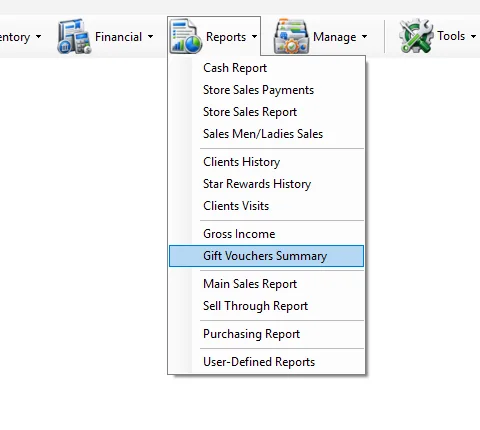
Gift Vouchers Summary is opened from the Reports menu and is subject to IMS user access policy. If the menu item is not visible, the logged-in account does not have the required report permission.
Select the issue period and review Total Issued.
Review Net Valid after expired, canceled and redeemed voucher value is deducted.
Select All Stores and compare Issue From with Redeemed In.
Review Expired and Total Expired for the selected voucher issue period.